Parquet & Avro Viewer
Open .parquet (Snappy/Zstd) and .avro files in browser RAM and export CSV/JSON/SQL.
SQLite Database Viewer
Browse .sqlite and .db tables, execute SQL queries, and export CSV/JSON in RAM.
CSV to JSON & TSV Studio
Transform flat CSV/TSV datasets to nested JSON arrays with live table previews.
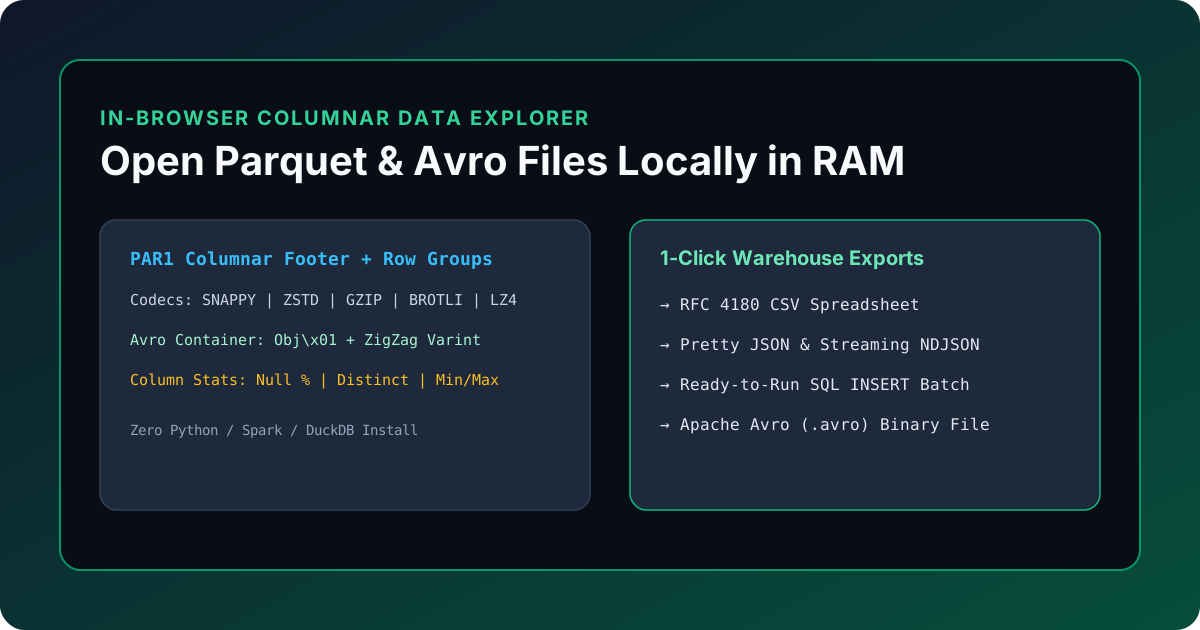
The Data Engineer's Dilemma: Inspecting .parquet and .avro Files Quickly & Safely
Modern data lakes, ML feature stores, and event pipelines rarely exchange plain CSVs. Analytics warehouses (Snowflake, Databricks, DuckDB, BigQuery, AWS Athena) export Apache Parquet (.parquet), while streaming platforms (Apache Kafka, Confluent, Flink) serialize messages into Apache Avro (.avro).
Yet when a data engineer, backend developer, or product analyst downloads a .parquet or .avro shard to debug a broken pipeline or verify a schema migration, they face two painful options:
- Heavy Local Tooling: Spin up a Python virtual environment (
pip install pyarrow pandas fastavro), launch Jupyter or DuckDB CLI, and write boilerplate scripts just to peek at 50 rows. - Risky Cloud Viewers: Upload production warehouse snapshots containing customer PII, financial transactions, or proprietary LLM telemetry to a random "free online Parquet viewer" hosted on an unknown server.
The KitWharf Parquet & Avro File Viewer to CSV/JSON eliminates both problems by decoding .parquet and .avro binary files 100% locally inside your browser's RAM—with zero setup and zero network uploads.
Architecture: Columnar Parquet (PAR1) vs. Row-Oriented Avro (Obj\x01)
Understanding how both binary formats are structured explains why they dominate modern data engineering—and how our browser engine parses them in milliseconds:
| Architectural Dimension | Apache Parquet (.parquet) |
Apache Avro (.avro) |
Plain Text CSV / JSON |
|---|---|---|---|
| Storage Layout | Columnar (Hybrid Row Groups + Column Chunks) | Row-Oriented Binary Blocks | Row-Oriented Text |
| Magic Header Bytes | Starts and ends with 4-byte ASCII PAR1 |
Starts with 4-byte Obj\x01 (4F 62 6A 01) |
None |
| Schema Location | Thrift-encoded FileMetaData in trailing footer |
JSON avro.schema in leading header map |
None (CSV) or Repeated Keys (JSON) |
| Compression Codecs | SNAPPY, ZSTD, GZIP, BROTLI, LZ4 per page |
null, deflate, snappy, zstandard per block |
External .gz only |
| Primary Workload | OLAP Data Warehouses, Lakehouses, ML Datasets | Kafka Event Streaming, RPC, Write-Heavy Logs | Human spreadsheets & REST APIs |
How In-Browser Parquet Decompression Works
When you drop a .parquet file into the Parquet & Avro Viewer:
- Footer Inspection: The parser reads the last 8 bytes of the
ArrayBufferto verify thePAR1magic bytes and locate the Thrift-encodedFileMetaDatafooter. - Schema & Row-Group Mapping: It reconstructs the physical types (
INT32,INT64,DOUBLE,BYTE_ARRAY,BOOLEAN), logical types (UTF8,TIMESTAMP_MILLIS,DECIMAL,UUID), and repetition levels (REQUIRED,OPTIONAL,REPEATED). - In-Memory Codec Decompression: Using
hyparquetandhyparquet-compressors, compressed data pages (SNAPPY,ZSTD,GZIP,BROTLI,LZ4) are decompressed directly into typed arrays in browser memory.
Step-by-Step: Inspecting Schemas, Profiling Nulls & Exporting to CSV/JSON/SQL
- Drop Any
.parquet,.avro, or.jsonlFile: Open the Parquet & Avro File Viewer and drag your file into the workspace—or click one of the three built-in presets (E-Commerce Orders, LLM Telemetry, or Kafka IoT Stream). - Search, Sort & Inspect Nested JSON (Tab 1): Filter across every column in real time, click any column header to sort numerically or alphabetically, and click any row to inspect its full JSON structure.
- Audit Physical & Logical Types (Tab 2):
Switch to Column Schema & Row Groups to verify column codecs, repetition flags, writer versions (
created_by), and custom footer key-value metadata (such asARROW:schema). - Profile Data Quality & Cardinality (Tab 3): Switch to Column Profiling & Statistics to check null counts, null percentages, distinct value cardinality, min/max boundaries, and numeric means across your loaded dataset.
- 1-Click Export to 5 Formats:
Export your filtered dataset immediately as CSV, pretty JSON, streaming NDJSON (
.jsonl), ready-to-run SQLINSERTstatements, or even compile a binary.avroObject Container File.
Working with relational SQLite databases or flat CSV exports as well? Explore our In-Browser SQLite Viewer and CSV to JSON & TSV Converter.