Document & Contract Redliner
Compare Word (.docx) & PDF contracts locally in RAM and export redlined .docx reports.
Free PDF Editor
Fill, sign, annotate, and redact confidential PDFs 100% locally in your browser.
Text & Code Diff Checker
Compare source code, JSON, and config files side-by-side with line numbers.
Why Uploading Unexecuted Contracts to "Free Online Diff Sites" Breaks Confidentiality
When a counterparty returns a revised Mutual Non-Disclosure Agreement (NDA), Master Subscription Agreement (MSA), or Executive Offer Letter with "minor cleanups"—often exported as a clean PDF or stripped of Word Track Changes—you have to verify every single word before signing.
Yet pasting unexecuted M&A agreements, pricing schedules, or employment contracts into random cloud "online document compare" websites creates immediate compliance and privilege hazards:
- Third-Party Server Retention: Cloud diff tools upload both full documents to remote storage buckets where confidential commercial terms and personal data are logged.
- Cross-Format Friction: Desktop word processors struggle when the baseline is a
.docxfile and the counterparty returns a flattened.pdf. - Silent Liability Shifts: Subtle single-word edits—changing "may" to "shall", flipping "exclusive" to "non-exclusive", or carving out indemnification from the limitation of liability cap—are easy to miss in a 25-page agreement.
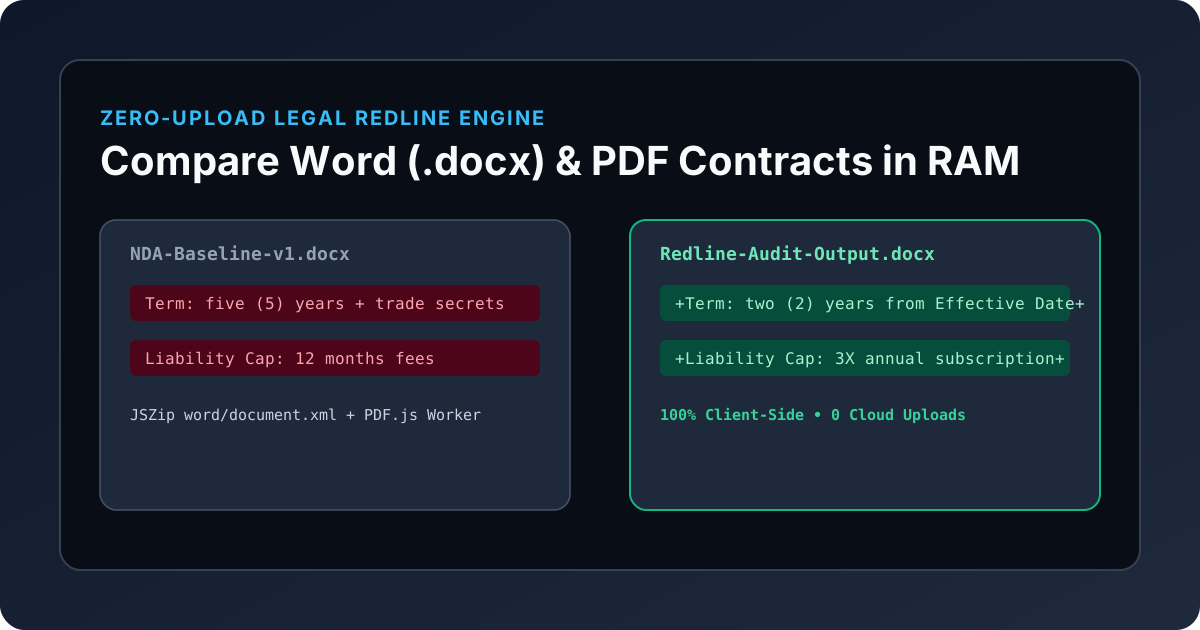
The KitWharf Document & Contract Redline Comparer solves this by running the entire .docx and .pdf extraction, word-level redlining, and .docx compilation pipeline 100% locally inside your browser's RAM.
Architecture: How In-Browser .DOCX & .PDF Redlining Works
Instead of shipping your files to a remote backend, KitWharf orchestrates three client-side engines directly inside your browser tab:
- OpenXML
.docxUnzipping (JSZip+DOMParser): A.docxfile is a ZIP container holdingword/document.xml. The browser unpacks the archive in memory and walks<w:p>(paragraph),<w:t>(text run),<w:tab/>, and<w:br/>nodes to reconstruct clean clause boundaries. - WebAssembly PDF Text Layer Extraction (
PDF.js): When you drop a.pdfcontract, Mozilla's PDF.js worker reads glyph coordinates (transform[5]Y-axis baselines) across every page to reconstruct natural paragraph breaks. - Two-Pass Myers LCS Clause & Word Diffing:
First, paragraphs are aligned across both drafts. Next, any modified clause is tokenized by word and punctuation boundaries (
(\s+|[^\s\w]+|\w+)) and passed through Eugene Myers' Longest Common Subsequence (LCS) algorithm to produce inline<del>(red strikethrough) and<ins>(green underline) markup. - Native OpenXML
.docxRedline Export (docxPacker): When you click Download Redlined Word (.docx), the browser compiles a genuine.docxbinary in RAM with colored strikethrough and underlineTextRunelements.
Comparison: KitWharf Contract Redliner vs. Cloud Legal SaaS vs. Desktop Word
| Capability / Security Metric | Cloud "Free" Document Diff Sites | Desktop Microsoft Word (Compare) | KitWharf Document & Contract Redliner |
|---|---|---|---|
| Network Upload Required | Yes (Full contract uploaded to server) | 0 KB (Local desktop app) | 0 KB (100% in-browser RAM) |
Compare .DOCX vs .PDF Directly |
Often restricted or paid tier | Requires noisy PDF-to-Word conversion | Native .docx vs .pdf cross-diff |
| Inline Legal Track-Changes View | Basic line diff | Built-in Track Changes | Word-level red strikethrough + green underline |
| Filter "Changed Clauses Only" | Rarely available | Reviewing Pane sidebar | 1-Click Changed-Clause Filter |
Export Redlined .DOCX & HTML |
Watermarked or subscription gated | Native .docx save |
Free 1-Click .DOCX, HTML & Markdown export |
| Works on Chromebook / Locked Laptop | Yes (with privacy risk) | Requires Office license install | Instant in any browser, zero install |
High-Risk Contract Clauses Checklist: What to Audit First
When reviewing a counterparty redline in the Document & Contract Redline Comparer, enable Changed Clauses Only and inspect these five clauses first:
- Limitation of Liability (Super-Caps & Carve-Outs): Check whether the counterparty quietly exempted indemnification, confidentiality, or data security claims from the 12-month fee cap, or made the cap asymmetric.
- Definition of Confidential Information: Watch for edits requiring all confidential disclosures to be "conspicuously marked Confidential in writing" or excluding oral disclosures unless summarized within 15 days.
- Term & Survival of Trade Secrets: Verify whether confidentiality obligations expire after 2–3 years including for trade secrets, rather than surviving indefinitely for as long as the information remains a trade secret.
- Governing Law, Venue & Jury Waiver: Spot silent switches from neutral venues (e.g., Delaware or New York) to the counterparty's local county courts.
- Auto-Renewal & Notice Windows: Look for changes extending termination notice windows from 30 days to 90 days prior to the annual renewal date.
Try comparing your next .docx or .pdf revision locally in the KitWharf Document & Contract Redline Comparer—or pair it with our Free PDF Editor to sign and redact final agreements with zero cloud exposure.