Redirect & Rewrite Studio
Compile 301/308/410 rules for Nginx, Apache, Cloudflare, Next.js & Vercel with live regex testing.
robots.txt & Sitemap Studio
Configure crawler directives, block AI scrapers, and validate XML sitemaps.
Interactive Regex Tester
Test regular expressions and capture groups with real-time match highlighting.
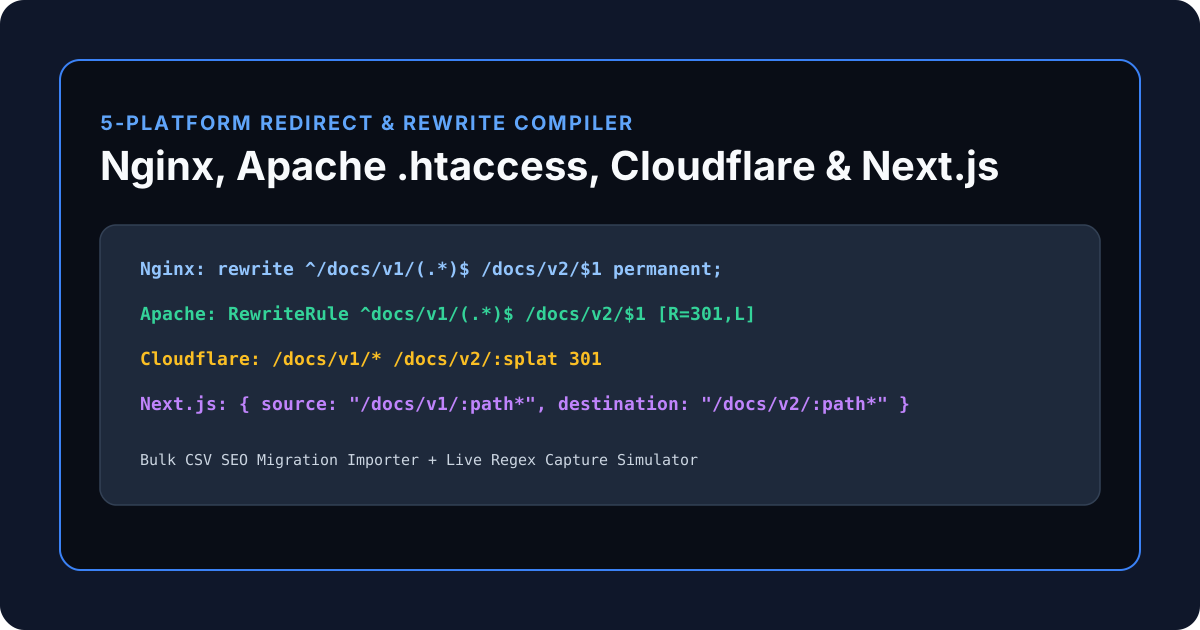
Eliminating 404 Traffic Drops During Site & Domain Migrations
When migrating a site's URL hierarchy (such as moving /docs/v1/* to /docs/v2/* or consolidating www to your apex domain), a single syntax mistake in nginx.conf or .htaccess can trigger infinite redirect loops or drop years of organic search rankings.
The KitWharf Nginx, Apache & Cloudflare Redirect Rule Generator compiles a single redirect table—or a bulk CSV migration sheet—into five platform formats simultaneously and includes a Live URL & Regex Capture Simulator in Tab 3.
| Server / Edge Platform | Wildcard Capture Syntax | compiled Rule Example (/docs/v1/* → /docs/v2/*) |
|---|---|---|
Nginx (nginx.conf) |
^(.*)$ → $1 |
rewrite ^/docs/v1/(.*)$ /docs/v2/$1 permanent; |
Apache (.htaccess) |
^(.*)$ → $1 |
RewriteRule ^docs/v1/(.*)$ /docs/v2/$1 [R=301,L] |
Cloudflare (_redirects) |
* → :splat |
/docs/v1/* /docs/v2/:splat 301 |
Next.js (next.config.mjs) |
:path* → :path* |
{ source: "/docs/v1/:path*", destination: "/docs/v2/:path*", permanent: true } |
Vercel (vercel.json) |
(.*) → $1 |
{ "source": "/docs/v1/(.*)", "destination": "/docs/v2/$1", "statusCode": 301 } |
HTTP Redirect Status Codes Deep Dive: 301 vs. 308, 302 vs. 307 & 410 Gone
Choosing the wrong HTTP status code during a site migration or API deprecation can silently corrupt POST webhooks or delay search engine canonicalization by months:
| HTTP Status Code | RFC Name | Caches by Default? | Preserves POST/PUT Method? | Best Technical & SEO Use Case |
|---|---|---|---|---|
301 |
Moved Permanently | Yes (Browser & CDN) | No (May downgrade POST → GET) | Standard SEO page & domain migrations (GET pages) |
308 |
Permanent Redirect | Yes (Browser & CDN) | Yes (Strict Method Lock) | Permanent REST API & webhook endpoint migrations |
302 |
Found (Temporary) | No | No (May downgrade POST → GET) | A/B tests, seasonal promotions, geo-routing |
307 |
Temporary Redirect | No | Yes (Strict Method Lock) | Temporary API maintenance routing |
410 |
Gone | Yes | N/A (No Destination) | Permanently deleted content that must be de-indexed fast |
Preventing the 3 Deadliest Redirect Bugs in Production
Before deploying a new nginx.conf, .htaccess, or _redirects file, test your rules in Tab 3 (Live URL & Regex Simulator) of the KitWharf Redirect Rule Generator to avoid these three classic production outages:
1. The Infinite Prefix Loop (/blog/(.*) → /blog/archive/$1)
If you write an unanchored or greedy regex rule matching ^/blog/(.*)$ and redirect it to /blog/archive/$1, a request for /blog/post-1 redirects to /blog/archive/post-1, which matches ^/blog/(.*)$ again, redirecting to /blog/archive/archive/post-1 until the browser aborts with ERR_TOO_MANY_REDIRECTS.
- Fix: Either move the destination to a distinct root prefix or use a negative lookahead
^/blog/(?!archive/)(.*)$.
2. Multi-Hop Redirect Chains (http://www → http://apex → https://apex)
Every redirect hop adds 50–150 ms of TCP/TLS round-trip latency on mobile networks and dilutes crawl budget. When you enable Force HTTPS (301) and Strip www → Apex in Tab 1, the compiler emits direct single-hop rules that jump straight to https://yourdomain.com$request_uri.
3. Rule Ordering Shadowing (Specific vs. Catch-All Wildcards)
Nginx rewrite directives, Apache RewriteRule blocks, and Cloudflare _redirects evaluate top-to-bottom and stop on the first match (last / [L]). Always place exact page overrides (such as /docs/v1/pricing → /pricing/) above broad directory wildcards (/docs/v1/(.*) → /docs/v2/$1).
Bulk SEO Site Migration Workflow: From Spreadsheet to 5 Server Formats
When replatforming a marketing site or e-commerce catalog with hundreds of changed slugs:
- Export your old-to-new URL mapping from Google Sheets or Excel as
/old-slug, /new-slug, 301. - Paste the entire list into Tab 2 (Bulk CSV Migration Importer) and click Import Bulk Rules into Builder.
- Switch to Tab 3 and test 3–5 sample URLs to confirm exact and regex capture matches.
- Toggle between Nginx, Apache
.htaccess, Cloudflare_redirects, Next.js, and Vercel JSON in Tab 1 to copy your production deployment block.