Online Teleprompter Studio
60 FPS smooth WPM scroll, beam-splitter Mirror X/Y flip, and webcam eye-line preview.
Browser Voice Recorder
Record voiceovers directly in browser RAM and export lossless WAV or WebM.
Webcam & Mic Tester
Verify camera resolution, FPS, and microphone gain before hitting record.
Mastering On-Camera Eye Contact Without Memorizing 2,000-Word Scripts
Recording a 10-minute technical tutorial, product launch keynote, or executive update from memory leads to endless retakes. Yet reading from static Google Docs or Notion notes pulls your eyes away from the camera lens.
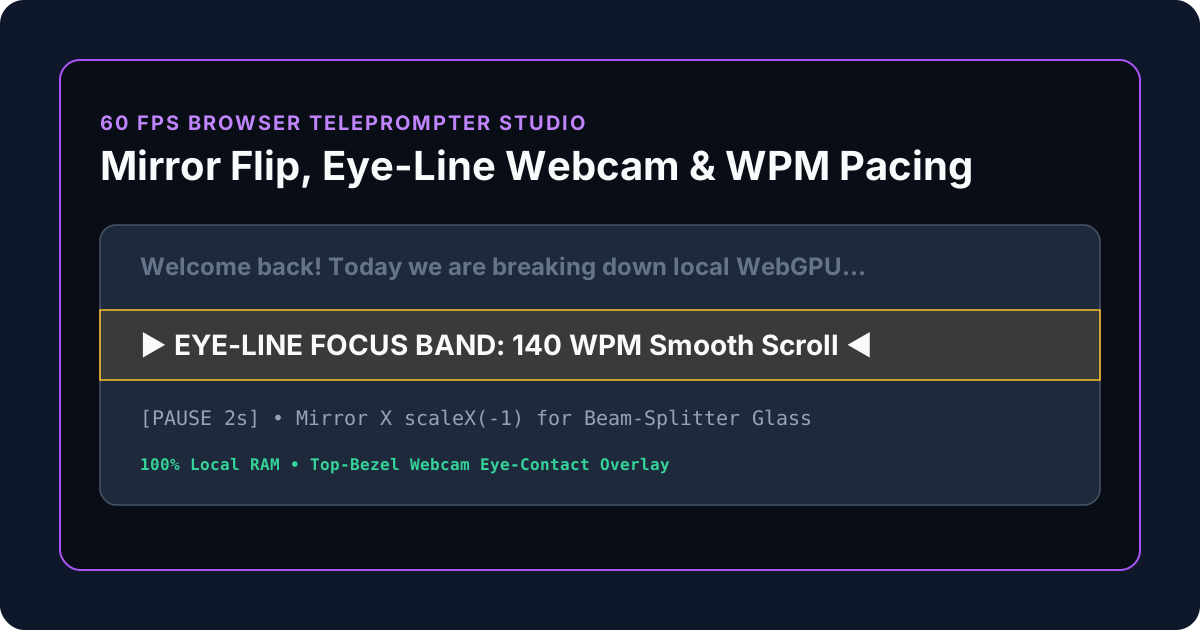
The KitWharf Online Teleprompter Studio gives creators a zero-install, 60 FPS prompter directly in the browser—complete with Mirror X / Flip Y for physical beam-splitter glass hoods and a Top-Bezel Webcam Eye-Line Overlay for laptop recordings.
| Video Format | Recommended Pacing (WPM) | Words per 5-Minute Video | Ideal Font Size (2.5 ft distance) |
|---|---|---|---|
| Executive Keynote / Announcement | 115 – 125 WPM |
~600 words | 38px – 46px |
| YouTube Technical Tutorial | 135 – 150 WPM |
~710 words | 32px – 40px |
| Fast-Paced Social Short / Reel | 165 – 180 WPM |
~860 words | 40px – 52px |
How Optical Beam-Splitter Teleprompter Glass Works (And Why Mirror Mode Matters)
Professional studio teleprompters—used in broadcast newsrooms, YouTube studios, and executive keynotes—rely on a simple optical physics principle: 70/30 Beam-Splitter Glass positioned at a 45-degree angle in front of the camera lens.
- The Camera Sees Through the Glass (70% Transmission): The dark shroud behind the glass prevents stray light from entering the lens, while 70% of the light from your face passes straight through the angled glass into the camera sensor with zero visible text.
- The Speaker Sees the Reflected Monitor (30% Reflection): A flat monitor, iPad, or laptop lies horizontally at the base of the hood facing upward. Its screen reflects off the front surface of the 45-degree glass directly into your eyes—superimposed right over the center of the camera lens.
- Why Reflection Reverses Text Horizontally:
Whenever light reflects off a planar mirror, the axis perpendicular to the mirror surface inverts. Without correction, the reflected script appears backwards. Clicking Mirror X (
scaleX(-1)) in the KitWharf Online Teleprompter Studio pre-flips the viewport horizontally on your display so the optical reflection in the beam-splitter glass reads naturally left-to-right!
The Laptop & Webcam Setup: How to Fake a Studio Teleprompter for $0
Even if you don't own a physical beam-splitter hood, you can achieve virtually indistinguishable eye contact on a standard laptop or external monitor by optimizing three geometric variables:
1. Lock Reading to the Top-Bezel Eye-Line Band
The biggest giveaway that someone is reading a script on their computer is vertical pupil drop—looking down at the bottom half of a 27-inch monitor while the webcam sits on the top bezel. In the Online Teleprompter Studio, the amber EYE-LINE Focus Band is fixed near the upper third of the stage, and enabling Eye-Line Cam places your live webcam feed directly above that active reading line. Keep your eyes inside the amber band and let the script scroll up to meet your gaze.
2. Narrow the Horizontal Scan Width
If a line of text spans the full width of an ultrawide monitor, your eyes visibly sweep left and right like a tennis spectator. By using larger font sizes (34px–44px) and generous side padding, each line contains only 5 to 8 words, allowing you to take in an entire line with peripheral vision without lateral eye movement.
3. Sub-Pixel 60 FPS Scroll Physics
Cheap web teleprompters use integer pixel stepping (scrollTop += 1), which forces a minimum speed of 60 pixels per second on a 60Hz screen (or 144 pixels per second on a 144Hz screen!) and causes micro-stuttering. KitWharf accumulates floating-point delta-time (scrollPos += pxPerSec * dt) synchronized to your script's exact Estimated Speaking Duration, delivering buttery-smooth motion from 60 WPM to 260 WPM.
Script Formatting Playbook for Natural On-Camera Delivery
To avoid sounding robotic when reading from a teleprompter:
- Write for the Ear, Not the Page: Replace formal written clauses ("Furthermore, it is imperative to consider...") with conversational contractions ("Now, here's the key thing to watch out for...").
- Insert Visual Stage Cues in Tab 2: Use the 1-click cue buttons in Tab 2 (Script Editor & Cue Tags) to drop
[PAUSE 2s],[EMPHASIS],[SLIDE CHANGE], and[SMILE / BREATHE]markers between paragraphs so you remember to vary your cadence and breathe naturally.